Plan Mode. It’s a powerful feature in Claude Code.
You can ask it to plan a new feature. It will think through the solution and provide a detailed write-up for you to review. You can then chat back and forth to refine it before implementation.
The problem
I have a utility script to add new monitors to UptimeRobot via their API. I built it years ago. Pre-AI.
I wanted to expand the functionality so I could edit and delete monitors too, so I asked Claude for a plan.
The process
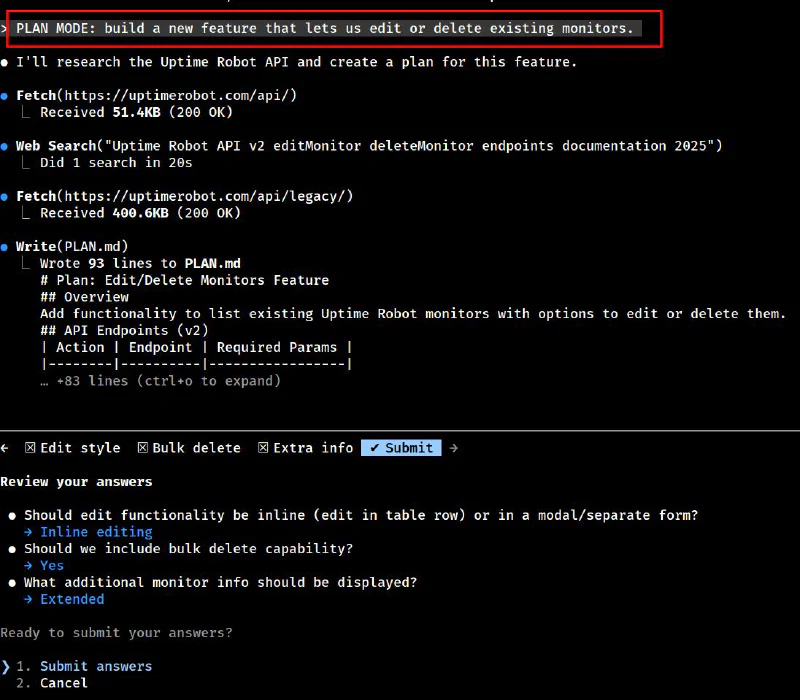
Plan Mode does the research for you. It fetched the UptimeRobot API documentation, searched for the specific endpoints I needed, and wrote a 93-line plan covering:
- API endpoints for edit and delete operations
- UI decisions (inline editing vs modal)
- Bulk delete capability
- What monitor info to display
I could review the plan, answer a few clarifying questions, and then let Claude implement it.
The result
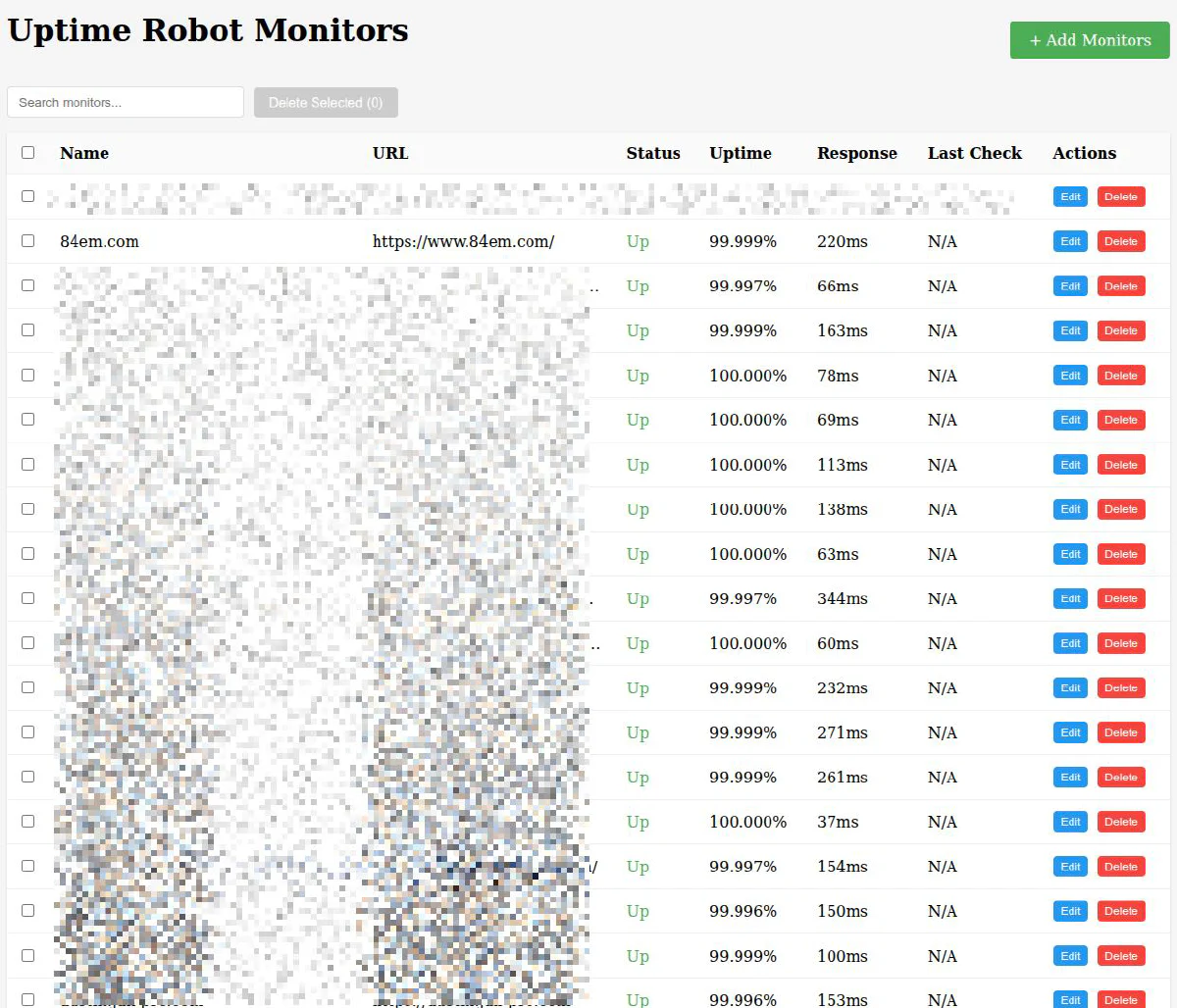
It took 2 minutes to develop the plan and 5 minutes to create the MVP which lets me pause and delete monitors. Now I can move on to additional features, such as changing notification contacts and check intervals.
The takeaway
Planning before coding isn’t new. But having an AI that can research APIs, consider edge cases, and ask clarifying questions before writing a single line of code? That’s a workflow improvement worth adopting.
And speaking of planning, here’s Lenny forming a plan of attack on Gilda.

Kidding. They’re actually best buds.